
Modern Multi-Factor Authentication
Protection against unauthorized access to critical corporate data
Cybercrime is on the rise, again. When it comes to protecting your data, passwords are the weakest link. That’s why multi-factor authentication (MFA) has become the identity and access management (IAM) standard for preventing unauthorized access. Protect your organization’s mission-critical assets with policy-based OneLogin MFA. Offer flexible authentication factors including OneLogin Protect one-time-password (OTP) app, email, SMS, voice, WebAuthn for biometric factors, plus a range of third party options including Google Authenticator, Yubico, Duo Security, RSA SecurID, and more. Go beyond static MFA with SmartFactor Authentication, which uses machine learning to evaluate the risk and context of each login and adapt accordingly.
Protect your entire business or start by securing your most critical apps first.
OneLogin Protect – enterprise-grade MFA app
Protect against unauthorized access to critical corporate data while cutting management time and costs for your business.
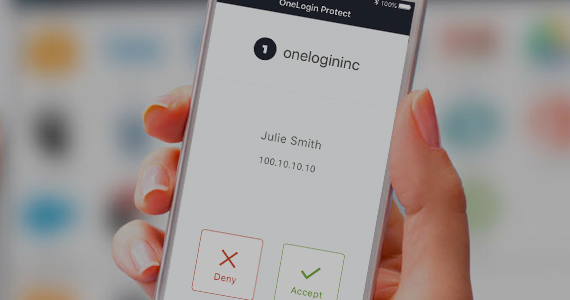
OneLogin Protect was purpose-built for use with OneLogin’s Trusted Experience Platform™ and provides a seamless, integrated user experience for MFA. Instead of manually entering a time-based code, the user simply presses a button and is automatically signed in.
OneLogin Protect eliminates the need for customers using various services in the cloud to have multiple OTP authenticators on their iOS or Android mobile devices.
Biometrics
OneLogin is able to work directly with your laptop’s biometrics authentication, such as Hello World on PCs and Touch ID on Macs. Hardware-backed biometric authentication is not only very secure, it also provides excellent usability.
SMS and voice
Some of your employees may not have a smartphone or may be unwilling to use it for work. OneLogin allows you to send a one-time code via SMS that they enter during the login process, or they can receive a phone call and punch in a number displayed on OneLogin’s login page.
Desktop- and device-level multifactor authentication
By blending the power of OneLogin MFA and One Identity Defender, you can secure Windows workstations with industry-standard multifactor
authentication (MFA), which enhances cybersecurity with system-level checks,
and reduces security gaps of a distributed workforce and infrastructure. A true market differentiator, this
desktop-level multifactor authentication gives our customers access to leading solutions in the access management space. Plus, this powerful integration accelerates cloud migration, enables organizations to
quickly scale, and to secure and manage identities.
Device trust and the journey to passwordless authentication
OneLogin Desktop lets users log in once and have access to all the apps in their OneLogin Portal as well as SAML-enabled desktop apps. No need to sign in again. With Desktop Pro, they sign into their laptop with their OneLogin password, eliminating the separate laptop password completely. Add MFA on top of Desktop or Desktop Pro for the most secure, streamlined experience.
Unlock the powerful combination of One Identity Active Roles and OneLogin Workforce Identity
The combination of Active Roles and OneLogin helps:
- Increase efficiency and consistency of user and group access management across applications (cloud and legacy apps)
- Accelerate IT admin and user productivity
- Enable the adoption of a least-privilege model
- Ensure AD admins and users have only the rights necessary to do their job